Lifecycle marketing for developers
Most lifecycle emails for developer products are spam with better targeting. The fix is behavioral triggers, not better copy.

Most lifecycle emails for developer products are spam with better targeting. The fix is not better copy. It is better timing.
How many emails do you get every day that are absolutely irrelevant?
Sure, these emails arrive in your inbox polished, grammatically correct, beautifully designed, sent on a schedule, and on-message. But still, they are completely irrelevant to you.
Let's make sure we aren't contributing to this problem with our own emails.

What is lifecycle marketing?
At its core, it is automated, behavior-triggered messaging: the right message to a user at a specific moment in their relationship with your product. It covers onboarding, upsell, re-engagement, retention, and milestone sequences across email, in-app, and other channels. For developer products, it works when it is triggered by what users do, not by when they signed up.
That definition matters because most companies get it wrong. They build calendar-based programs. Sign up on Monday, get a welcome email. Three days later, get a feature tour. A week later, get asked to upgrade. The timing has nothing to do with what the user is doing. It has everything to do with what the marketing team scheduled.
Behavior-triggered emails consistently outperform time-based sequences and newsletters on open rates. The reason is simple: a behavior-triggered email answers the question "Why am I getting this right now?" A calendar-based email cannot.
When a developer's team grows from three to eight people, that is the moment to talk about team features. When someone hits 80% of their API quota, that is the moment to talk about the next tier. When a user tries to access a feature locked behind a higher plan, that is the moment to show them what it unlocks.
If you cannot explain why a specific user is receiving a specific email at a specific moment, do not send it.
Why developers are different
Developer audiences are not like other B2B audiences. They have a fundamentally different relationship with marketing. Understanding this difference is the gap between lifecycle emails that work and lifecycle emails that get you unsubscribed.
Developers hate being marketed to, but they love being helped. The line between the two is thinner than most marketers realize. Help looks like: "Your team has grown to 8 members and you are managing 5 production projects. Here is how role-based access control works on the Team plan." Marketing looks like: "Unlock enterprise features with our Team plan!" Same product. Same feature. Completely different trust signal.
I wrote about this tension in developer marketing vs. B2B marketing. The short version: developers evaluate products the way engineers evaluate code. They want specifics, not superlatives.
Plain text wins. Many of the best-performing SaaS marketers send emails that look like plain text. For developer audiences, lean into it even harder. Heavy HTML emails signal "mass blast." Plain text emails signal "a person wrote this." They also land in the primary inbox instead of the Promotions tab.
One ask per email. Developers are efficient by nature. An email that asks them to read a blog post AND watch a webinar AND start a trial is an email that asks them to do nothing. Pick one action. Make it easy. Get out of the way.
Send from a real person. Never send from "noreply@" or "The Marketing Team." Send from your developer advocate, your product manager, your CTO. Use a real reply-to address. Developers will reply. That is a good thing. I talked about building trust with developers years ago. The same principles apply in email.
What channels work best for developer lifecycle marketing?
Not every channel works equally well for technical audiences. Prioritize accordingly.
Tier 1: high-trust channels. Transactional and behavioral email, sent from a real person with a real reply-to. In-app messaging tied to the user's current context. These channels work because they reach the user at the right moment with the right message.
Tier 2: supporting channels. Product changelogs and release notes are a natural surface for upgrade messaging. Mention which features are available on higher tiers. Documentation is another one. "This feature requires the Team plan" embedded in your docs is more effective than any email.
Tier 3: amplification channels. Social media (Twitter/X, LinkedIn) for customer stories, feature announcements, and milestone celebrations. Community channels (Discord, GitHub Discussions) for peer validation. These are trust-building channels, not selling channels.
What does not work for developers. Pop-ups and interstitials that block workflow. Fake urgency for self-serve products. Chat widgets that open unprompted. Heavy HTML marketing emails. All of these signal "we care about our conversion rate more than your experience." I covered why this matters in the complete developer marketing guide.
What to trigger on
There are four categories of behavioral triggers that work for developer products. All of them are based on what the user is doing, not when they signed up.
Limit-approaching triggers. The user hits 70-80% of a quota. Storage, bandwidth, API calls, team seats, project count. This is the most natural upsell moment because the user is already feeling the constraint. You are helping them solve a problem they already have.
Feature-gate triggers. The user attempts to access a feature locked behind a higher tier. Or they visit the pricing page. Or they click on something in the UI that shows a locked icon. These are intent signals. The user is telling you what they want. Listen.
Milestone triggers. The user hits a significant usage achievement. Their 1,000th API call. Their 100th user. Their one-year anniversary. Zapier does this brilliantly: "You automated 229 tasks this month." It quantifies value and creates a natural moment to suggest the next tier.
Engagement-intensity triggers. Usage frequency increases significantly. Multiple team members become active. The user hits a plan limit multiple times in a week. These patterns suggest the user is getting serious. The product is becoming infrastructure.
The best lifecycle programs combine all four. The worst use none and send emails on a calendar.
Why is instrumentation the biggest lifecycle marketing challenge?
Every trigger above assumes you can observe what your users are doing. For most SaaS products, that assumption holds. You instrument the web app, track clicks and feature usage, and pipe it into your marketing automation platform.
Developer products are different. Your users are not always in your web app. They interact through CLIs, MCP servers, Terraform providers, GitHub Actions, VS Code extensions, and raw API calls. Each of these is a real usage surface that generates behavioral signals. None of them are captured by traditional web analytics.
If you only instrument your web dashboard, you are blind to your power users. The developer who deploys fifteen times a week from the CLI looks dormant in your marketing platform. Your re-engagement sequence fires. You email them "We haven't seen you in a while!" They are your most active user. You just lost credibility.
The fix is to treat every interaction surface as a source of behavioral data. CLI commands, API call volumes, MCP tool invocations, CI/CD pipeline triggers, IDE plugin activations. Pipe all of it into a unified behavioral profile. A developer who runs deploy twelve times this week from the terminal is deeply engaged, even if they never opened your dashboard.
Building this requires product engineering, data engineering, and marketing to agree on what events matter and where they land. It is real work.
How do you run lifecycle marketing for open-source products?
Open-source products face a unique lifecycle marketing challenge. Many developer products are open source. A developer clones your repo, follows the README, and starts building. They never create an account. They never give you an email address. You have no idea they exist.
You cannot run a lifecycle program for someone you cannot reach.
The instinct here is to gate something. Require an account to access the hosted version. Put the good docs behind a login. Add a telemetry ping that phones home. Developers see through all of these, and most of them will make your community actively hostile. That is not the path.
The better approach is to give developers a genuine reason to identify themselves. Two channels work well.
A product newsletter in your README. Near the top, right after the quick start. "Sign up for release notes, migration guides, and tips from the team." Keep the signal-to-noise ratio high. Release notes, upgrade guides, performance tips, community highlights. No marketing fluff. One promotional email in a product newsletter and you lose subscribers permanently.
A security notification list. Separate from everything else. This list sends one email when there is a CVE, a breaking change, or a critical bug. Nothing else. Developers who run your software in production will sign up because they need to know when something is wrong. It gets you a direct line to your most serious users without asking them to tolerate marketing.
Put both in your README and your docs site. Once a developer is on either list, you have a relationship and a foundation for lifecycle marketing.
The organization dilemma
A developer signs up for your product. They are one person. But they work on a team of twelve, inside a company of two thousand. Their individual usage, their team's usage, and their organization's usage each tell a different story. Send that developer an onboarding drip about their first API call when their team is collectively running 400,000 calls a month and you are talking to the wrong version of the relationship.
You need three layers of behavioral data:
- Individual. What has this person done? Where did they get stuck? This drives onboarding and feature discovery.
- Team. How many people from the same team use the product? What is their combined usage? A team of six on free accounts is a stronger expansion signal than one power user on Pro.
- Organization. Is the company already a customer? Is there an active sales conversation? This determines self-serve lifecycle track versus handoff to sales.
Three rules to establish internally:
- Who owns each level? Marketing owns individual lifecycle. Sales may own the organization. Who owns the team layer? If nobody does, deals fall through there.
- When does self-serve yield to sales? Pick a threshold: five people from one company on free accounts, or $500 in monthly usage across the org. Write it down. Suppress the self-serve sequence when it is crossed. Nothing damages a sales conversation faster than a marketing email offering 20% off while the AE is negotiating an enterprise contract.
- Which signal wins when they conflict? The individual is dormant but their team is growing. Do you send re-engagement or expansion? Decide in advance.
Most lifecycle platforms track one person through one funnel. Developer products need account-level logic on top.
The five sequences every developer product needs
1. Onboarding
Goal: First value, fast. Trigger: Account creation.
One action per email. Email one: the single most important thing to do. Email two: the second key action. Email three: social proof or a use case. Email four: a check-in if they have not activated yet. Timing: day zero, day one, day three, day seven. After day seven, the problem is your product, not your emails. I wrote about getting your first users from a different angle, but the principle is the same: remove friction, do not add messages.
2. Upsell and expansion
Goal: Higher tier based on demonstrated need. Trigger: Behavioral signals from above.
Most companies lead with the most expensive feature on the higher tier. The data almost always tells a different story. Use your product usage data to identify the features that drive upgrades. Lead with the one that works.
Once you know your feature triggers, here's a four-email structure that works:
| Day | Framework | Purpose | |
|---|---|---|---|
| 1 | Day 0 (trigger) | BAB (before-after-bridge) | Acknowledge growth, paint the upgraded state |
| 2 | Day 3 | FAB (feature-advantage-benefit) | Technical specifics of what the upgrade unlocks |
| 3 | Day 7 | 4Ps (promise-picture-proof-push) | Social proof, address the top objection |
| 4 | Day 12 | PAS (problem-agitation-solution) | Cost of inaction, offer to help |
Space them out. Consecutive-day follow-ups get dramatically fewer responses.
3. Re-engagement
Goal: Recover dormant users. Trigger: No login or key action for a defined period.
Define "dormant" based on your product's natural usage pattern, not your gut. A CI/CD tool used daily has a different threshold than a database provisioning tool used weekly.
Three emails. Email one: what changed since they left. Email two: a feature relevant to their past usage. Email three: an honest ask, with the option to downgrade or pause rather than churn. "We miss you!" is desperate. "Here is what changed since your last login" is useful.
4. Retention and anti-churn
Goal: Prevent downgrades and cancellations. Trigger: Billing page visits, support tickets about pricing, usage decline over two or more weeks.
Lead with a value summary. Show the user what they have built: how many projects, team members, API calls. Email two: what they would lose. Email three: an offer, whether that is a discount, an extended trial of a higher tier, or a call with the product team. Showing what users will lose outperforms listing what they will gain, but be honest about it. Developers can smell manipulation.
5. Milestone and celebration
Goal: Reinforce value. Trigger: Usage milestone.
A single email. Congratulate. Quantify the value delivered, whether that is a monthly tally of tasks automated, builds run, or queries served. Position the next tier as the natural next step. The upsell is a whisper, not a shout.
How to write emails developers actually read
Subject lines
Plenty of recipients decide whether to open based on the subject line alone. Personalized subject lines tend to get opened more often, and including the first name helps.
Keep them under 50 characters. Be specific. "{{first_name}}, your team is outgrowing Pro" works. "Discover our enterprise features" does not.
Skip the spam trigger words, the ALL CAPS, and the clickbait. Developers have finely tuned BS detectors. Respect them.
What works:
- Outcome-driven: "Ship faster with automated backups"
- Usage-based: "
{{name}}, you've used 80% of your storage" - Direct questions: "Ready for SOC 2 compliance?"
What fails:
- Spam triggers: "Free," "Buy Now," "Act Now"
- ALL CAPS or excessive punctuation
- Clickbait that damages long-term trust
- Generic phrases that could apply to any product
Pretext (preheader)
The pretext is the most underused piece of real estate in email marketing. It is the text that appears next to or below the subject line in the inbox preview. Most companies either leave it blank or let it auto-populate with "View this email in your browser."
Keep it between 40 and 80 characters. Use it to add a concrete detail that the subject line hints at. If the subject is curiosity-driven, the pretext provides the payoff.
Subject: "{{first_name}}, your team is outgrowing Pro"
Pretext: "Team plan adds role-based access, SOC 2, and priority support"
Now the reader has a reason to open.
Body structure
Total length: 100-200 words. Every sentence must earn its place.
Open with a personalized hook that references actual product usage. Not "Hope this finds you well." Not "As a valued customer." Something real. "Your team has grown to {{team_member_count}} members and {{project_count}} projects."
The value section is three to five sentences using one of the four frameworks. Pick the right framework for the right position in the sequence.
The CTA is one sentence. One clear, low-friction ask. First-person phrasing tends to convert better than second-person. "Start my upgrade" beats "Start your upgrade." Keep CTA text to four or five words with an action verb.
Sign off with a name and title. No inspirational quotes. No P.S. unless it adds genuine value, like "P.S. You can upgrade directly from your dashboard. Takes two minutes."
Personalization
Segmented campaigns can produce a large lift in email revenue. Data-driven personalization drives more opens, more clicks, and more conversions.
But personalization means using real data, not faking it. "You've sent 14,000 API calls this month" is personalization. "As a valued member of our community" is not.
Include at least two data points from the user's account in every lifecycle email. Team size, project count, usage metrics, current spend, account age. If you do not have the data, build the instrumentation before you build the email sequence. Investing in developer content strategy without the data to personalize it is like building a house without a foundation.
In-app messaging
Some lifecycle messages belong inside the product, not in the inbox.
When to use in-app instead of email: The user is actively working and the message relates to what they are doing right now. Upgrade prompts when hitting limits. Feature discovery during relevant workflows. Contextual help at the moment of need.
What works. Limit-approaching banners that are short and dismissible. Asana does this well. Feature-gate modals that show what a locked feature does and how to access it. Loom and Figma do this well. Milestone toasts that briefly celebrate a usage achievement. Zapier does this well.
What fails. Full-screen takeovers that block workflow. Repeated identical prompts in the same session. Generic upgrade messages with no connection to the user's current activity.
The same rule applies here as with email. If you cannot answer that question for an in-app message, leave it out.
Suppression and exit rules
Every sequence needs four rules. Most companies define one or two and wonder why their unsubscribe rates climb.
Entry criteria. The behavioral trigger that starts the sequence.
Suppression criteria. Who should not receive it. Users in active sales conversations. Users who completed a similar sequence in the last 90 days. Users who explicitly opted out of marketing emails.
Exit criteria. What stops the sequence immediately. Conversion. Sales team engagement. Unsubscribe. A reply asking to stop.
Re-entry cooldown. The minimum time before a user can re-enter the same sequence. Ninety days is a reasonable default.
If you skip suppression rules, you will send upsell emails to people who just upgraded. You will send re-engagement emails to people who logged in yesterday. You will send retention emails to people who are already talking to your sales team. All of these destroy trust. And trust, as I wrote in the power of storytelling in developer marketing, is the only currency that matters with developers.
The ten mistakes
I have made most of these myself. Here they are so you can make different ones.
-
Time-based sequences instead of behavioral triggers. Your most active and least active users should never receive the same email on the same day.
-
Leading with features instead of problems. Developers ignore "Feature X is available!" if they do not understand the problem it solves. Lead with the pain. Then offer the relief. (the exception is launch anouncement emails and, maybe, monthly newsletters)
-
Automating untested messaging. Validate your copy with manual sends first. Automate what works, not what you hope works.
-
Pushing upgrade before demonstrating value. The upsell should come after value is proven on the current tier. Not before. This is the same principle I wrote about in developer marketing for startups: earn the right to ask.
-
One-size-fits-all messaging. An individual developer on a side project and a CTO managing fifty people need completely different messages. If you are sending the same email to both, you are failing both.
-
Too many CTAs. One email. One goal. One link. Repeat the link if needed. Never include competing asks.
-
False urgency for self-serve products. "LIMITED TIME OFFER" for a product that will still be available tomorrow destroys credibility with technical audiences. If there is a genuine deadline, state it plainly. Otherwise, let the value do the work.
-
Heavy HTML design. Plain text builds trust. If your email looks like it came from a marketing team, it will be treated like marketing. Which means it will be ignored.
-
Generic sender and noreply address. Send from a real person with a real reply-to. This is non-negotiable.
-
Ignoring objections. For significant price jumps, objections are guaranteed. If the upgrade costs ten times more, address it directly in the sequence. Do not dodge it. Developers respect honesty about pricing more than they respect discounts.
Measurement
The metrics that matter depend on the sequence.
- Onboarding. Activation rate. What percentage of users reach first value?
- Upsell. Conversion rate. What percentage upgrade within 30 days of entering the sequence?
- Re-engagement. Reactivation rate. What percentage return to active usage?
- Retention. Save rate. What percentage express cancellation intent but stay?
Industry benchmarks for B2B SaaS: average open rates sit between 23-30%. Top quartile hits 35-40%. Behaviorally triggered emails hit 40-50%. Average click-through is 2-4%. Top quartile hits 6-10%. Behaviorally triggered emails hit 8-12%.
If your numbers are below average, the problem is almost certainly your triggers, not your copy. Fix the targeting first. Then fix the words.
A/B test in this order: subject line variants (open rate), CTA phrasing (click rate), sender identity (reply rate), sequence entry thresholds (conversion rate). Test one variable at a time. Run each test for at least two weeks before drawing conclusions.
Where this fits in your stack
Lifecycle marketing does not live in isolation. It sits at the intersection of product data, marketing automation, and content strategy.
You need behavioral data from your product. Who logged in, what they did, what limits they hit, how their usage changed over time. Without this data, you are guessing. And guessing means calendar-based drips, which means spam.
You need a marketing automation platform that can trigger on events, not just schedules. Customer.io, Braze, Iterable, and others all support this. HubSpot can do it with some configuration. The tool matters less than the trigger architecture.
You need a content strategy that produces assets your lifecycle emails can point to. Case studies, tutorials, comparison pages, upgrade guides. Each email should have one link. That link needs to go somewhere useful.
And you need someone who understands developers. Not a lifecycle marketing specialist who has never shipped code. Not a developer who has never written an email. Someone in between. Someone with the taste to know what a developer needs to hear and the skill to write it well.
Make it count
Every lifecycle email is a bet on timing and relevance. Behavioral data improves the odds. Calendar-based templates lower them.
The companies that win at lifecycle marketing for developers are the ones that treat every email as a product decision, not a marketing decision. They ask "will this help the user?" before they ask "will this convert?" And they build the data infrastructure to answer the first question honestly.

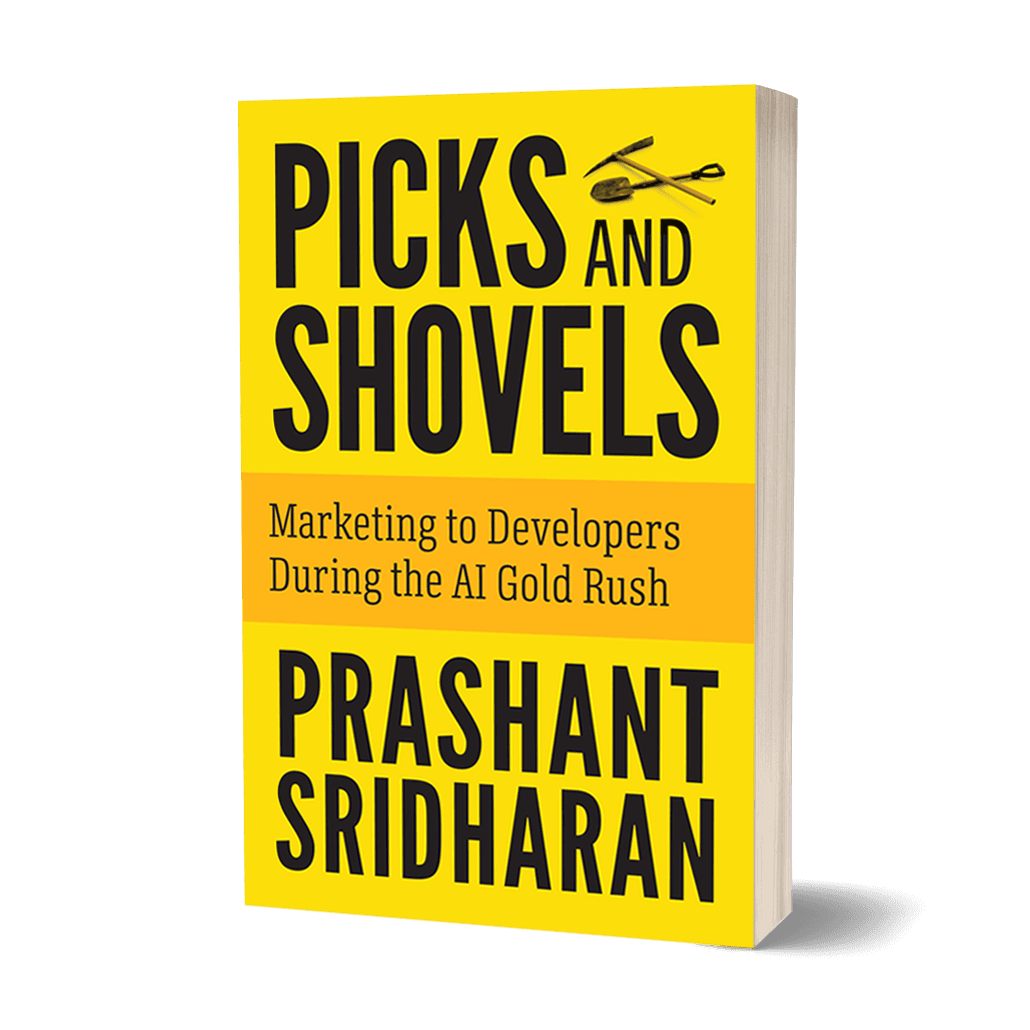
Developer marketing expert with 30+ years of experience at Sun Microsystems, Microsoft, AWS, Meta, Twitter, and Supabase. Author of Picks and Shovels, the Amazon #1 bestseller on developer marketing.
Want the complete playbook?
Picks and Shovels is the definitive guide to developer marketing. Amazon #1 bestseller with practical strategies from 30 years of marketing to developers.