
macOS
Menu Bar for Linear
Your Linear workspace, one click from the menu bar
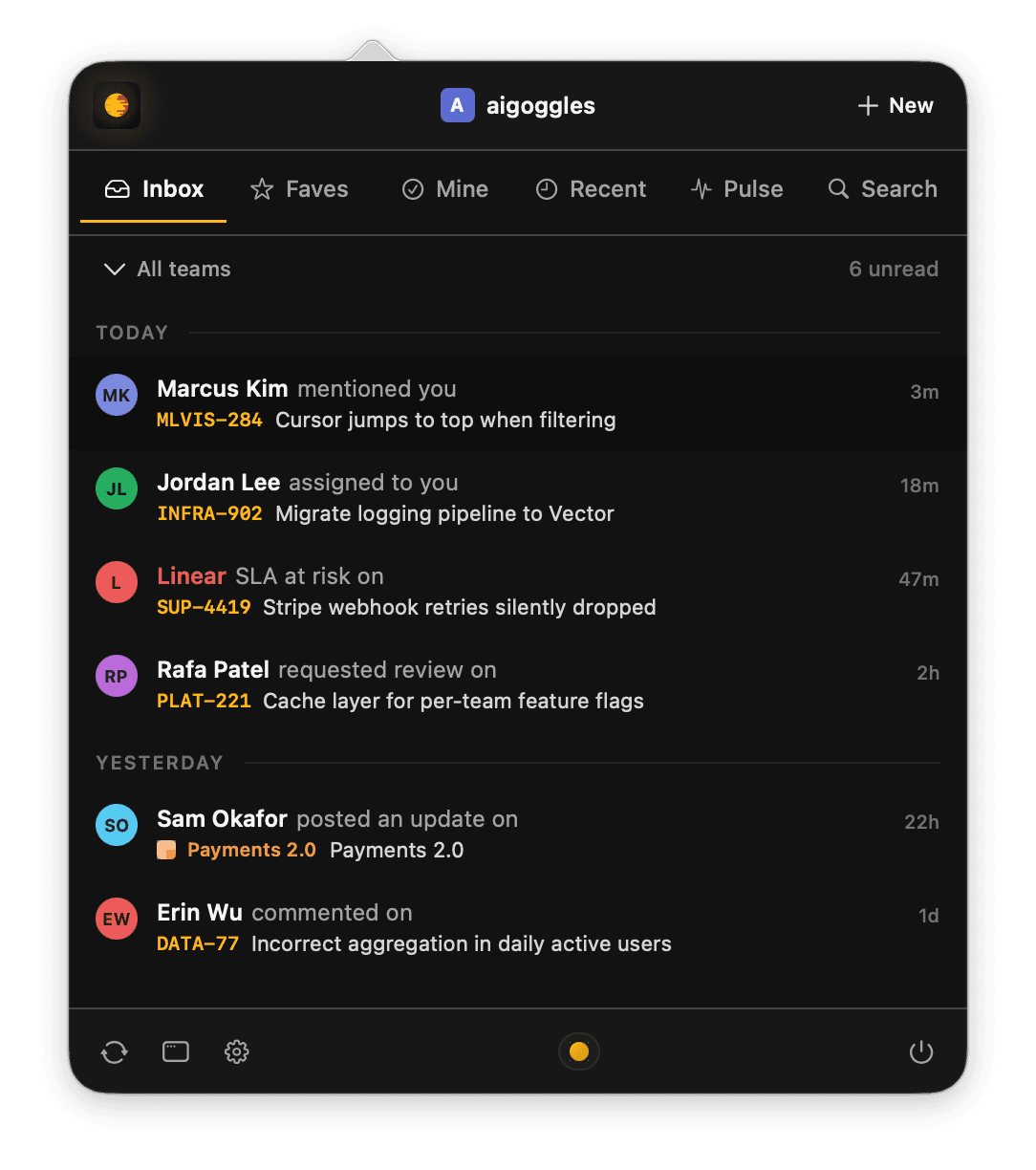
Menu Bar for Linear is a quiet macOS companion for your Linear workspace. It lives in the menu bar so the stuff that matters (mentions, assignments, SLA alerts, project updates) shows up without pulling you into a browser tab.
Organized for fast access
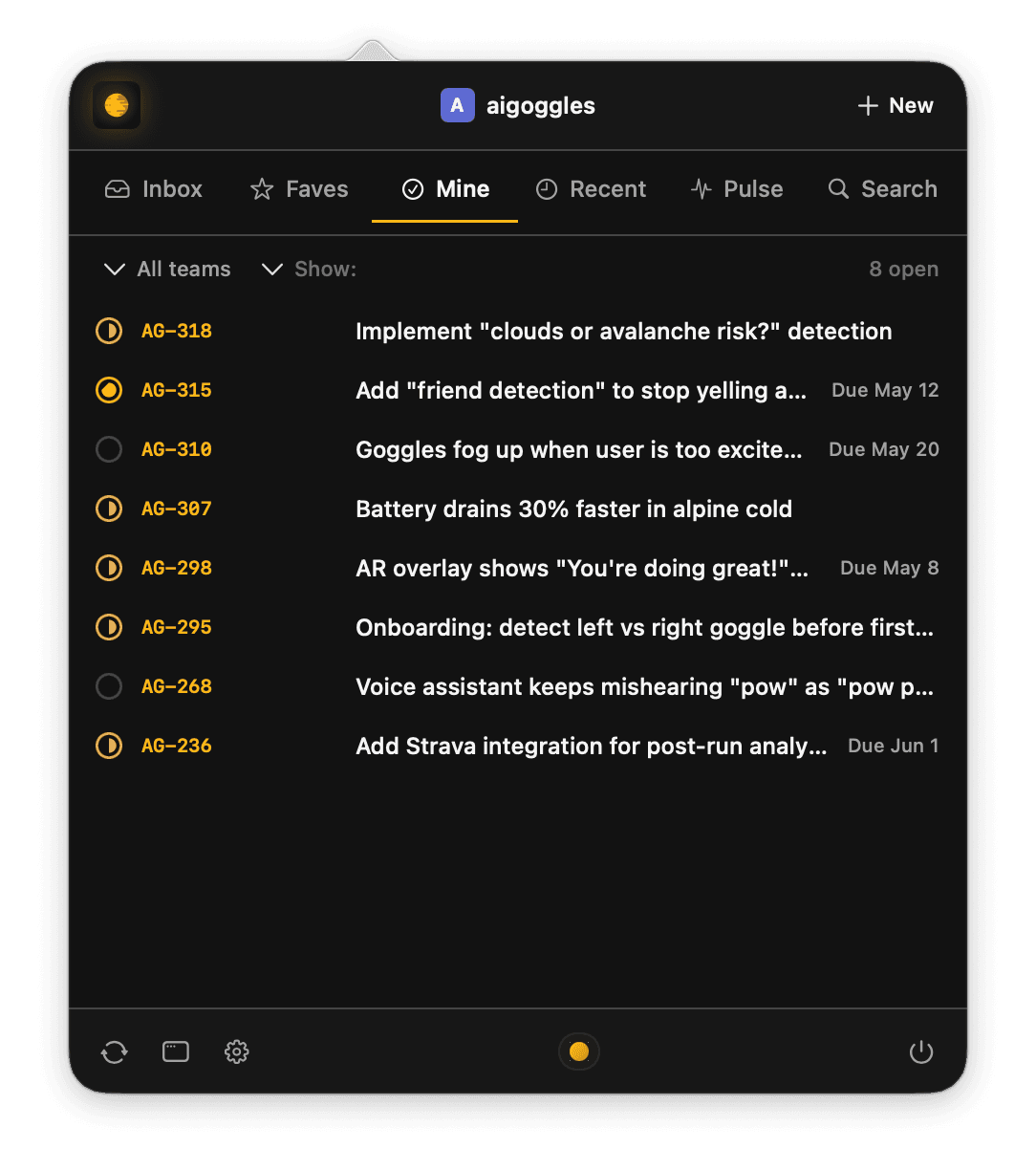
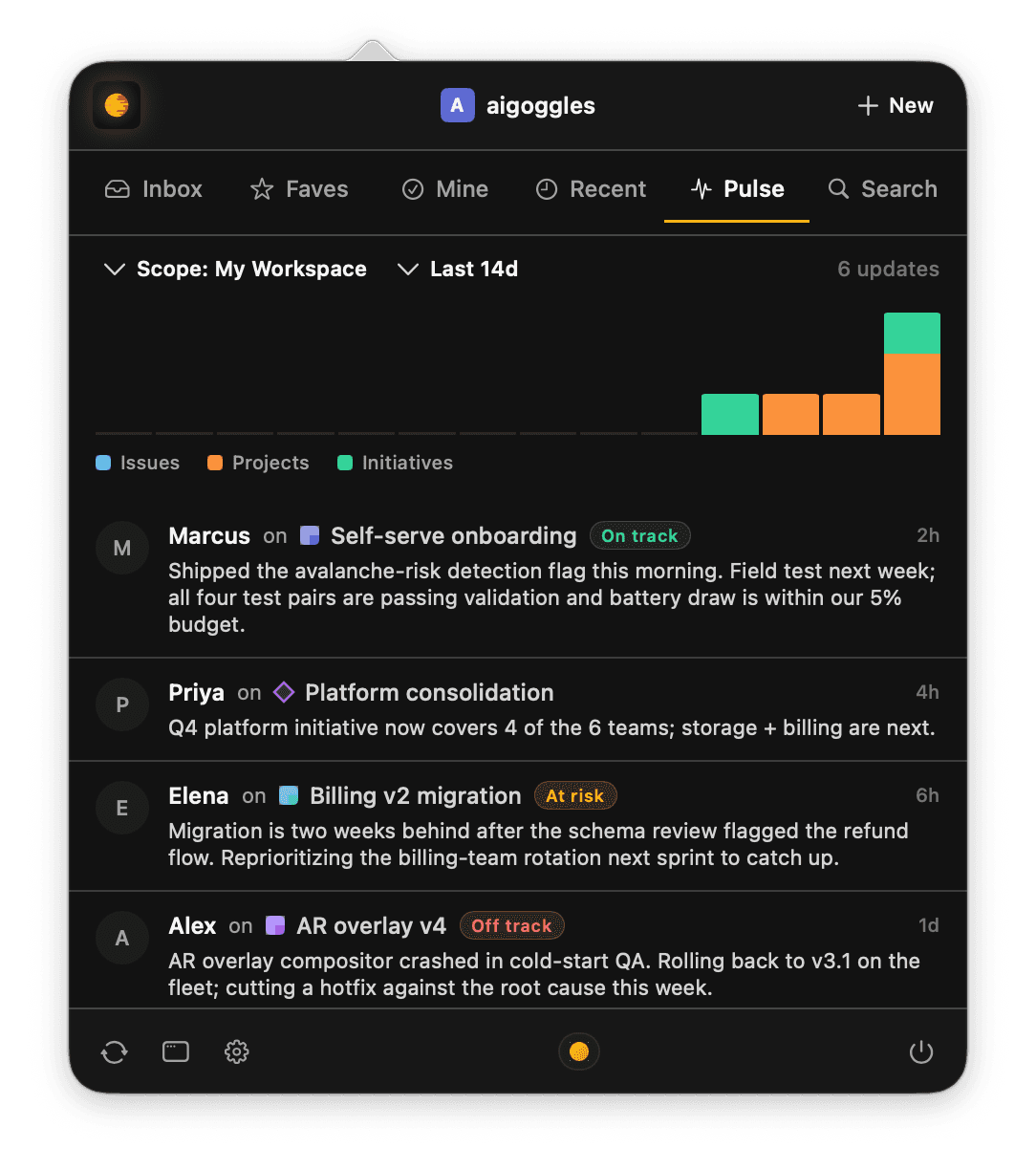
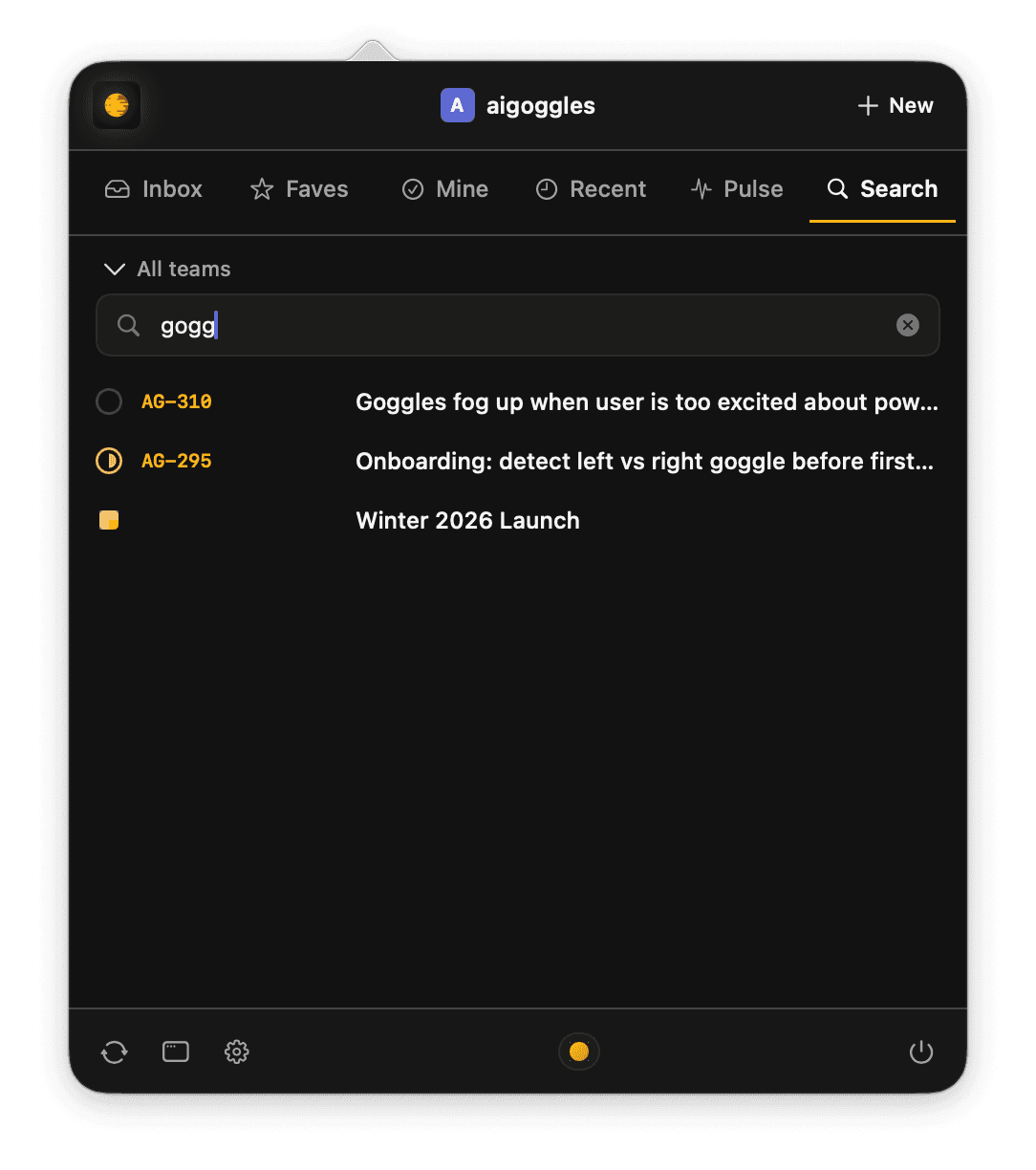
Inbox for unread notifications grouped by Today, Yesterday, and Earlier. Favorites for all your Linear favorites. Mine for issues assigned to you or created by you. Recent for everything that moved in the last two weeks. Pulse for a team-wide view of issues, projects, and initiatives. Search for one-box access to everything in the workspace.
Tame your workflow
Menu Bar for Linear is designed to help you get things done faster. There's no special data in the app. It's just a reflection of everythign already in your Linear workspace. Set your favorites there and they show up in Menu Bar for Linear. Your Inbox in Linear is your Inbox in Menu Bar for Linear. Your Linear, just made for a faster workflow.
Privacy and security
OAuth 2.0 with PKCE. Tokens stored in the macOS Keychain. No Strategic Nerds servers in the loop, no analytics, anonymized telemetry (that you can turn off). iCloud sync is opt-in and keeps preferences and the list of connected workspaces in step across your Macs. Tokens themselves always stay on the device that created them.
Open source
The source is on GitHub. Inspect the code, file issues, or fork it.