How I use Claude to automate developer marketing (and how you can too)
I built a system that turns the marketing frameworks I wrote about in my book into Claude-powered tools. Now I generate in minutes what used to take hours. The output follows the same frameworks I've refined over years of practice. And I can focus on strategy instead of execution.

I am a Product Marketing Manager. This means I spend most of my days writing positioning frameworks, competitive analysis, launch plans, content strategies, and go-to-market recommendations. Over and over again.
Each one takes hours. Each one follows a proven structure. And each one used to require hours of prep work and research just to get started.
Not anymore.
I built a system that turns the marketing frameworks I wrote about in my book (Picks and Shovels: Marketing to Developers During the AI Gold Rush) into Claude-powered tools. Now I generate in minutes what used to take hours. The output follows the same frameworks I've refined over years of practice. And I can focus on strategy instead of execution.
Here's how I did it, and how you can build your own system.

The foundation: frameworks over ad-hoc prompts
Most marketers use ChatGPT or Claude through web chat interfaces. They type a request, get an answer, refine it, iterate. This works for one-off tasks, but it fails for repeated work.
The problem is inconsistency. Ask any AI to "create a positioning framework" and you get something different every time. Sometimes it's good. Sometimes it misses critical elements. You spend time fixing gaps and correcting mistakes. And every new conversation starts from scratch.
I use something different: Claude Code.
Claude Code is Anthropic's command-line tool for working with Claude. Unlike the web chat, Claude Code runs in your terminal and integrates directly with your file system, your codebase, and external tools through MCP servers. It remembers your preferences. It follows your frameworks. And it connects to the services you actually use.
This distinction matters. ChatGPT and Claude's web interface are conversation tools. Claude Code is a development environment. You can build reusable commands, connect to databases and project management tools, and create workflows that run the same way every time.
The backbone of my marketing system is a set of frameworks. In Picks and Shovels, I document the frameworks I use for developer marketing. How to position a developer product. How to analyze competitors honestly. How to plan a launch that reaches technical audiences. How to build content strategies that help before they sell.
These frameworks became Claude Code commands. Instead of explaining what I want each time, I run a command and get consistent, structured output that follows my methodology.
Getting started with Claude Code
Before diving into slash commands, skills, and MCP servers, you need Claude Code installed and configured. Here's how to get set up.
Step 1: Install Claude Code
Claude Code requires Node.js 18 or higher. Install it globally using npm:
npm install -g @anthropic-ai/claude-codeVerify the installation:
claude --versionStep 2: Authenticate with Anthropic
Run Claude Code for the first time to authenticate:
claudeThis opens a browser window where you sign in with your Anthropic account. Once authenticated, Claude Code stores your credentials locally.
Step 3: Clone my dotfiles repo
I've published all my skills, commands, agents, and prompts in a public dotfiles repo. Clone it to get started immediately:
git clone https://github.com/coolasspuppy/dotfiles.gitThe repo contains a claude/ directory with:
- CLAUDE.md - master coding standards and configuration
- agents/ - autonomous development agents (TDD guardian, TypeScript enforcer, docs guardian, and more)
- commands/ - slash commands for workflows like
/clean-and-refactor,/add-tests,/new-blog - skills/ - developer marketing expertise for positioning, competitive analysis, launch planning, content strategy, and GTM
- work-prompts/ - standalone prompts for content creation (case studies, blog posts, sales emails)
- docs/ - reference documentation for testing, TypeScript, and workflow patterns
Step 4: Copy the configuration to your home directory
Copy the contents of the claude/ folder to your ~/.claude/ directory:
cp -r dotfiles/claude/* ~/.claude/This makes the skills, commands, agents, and prompts available globally across all your Claude Code sessions.
Step 5: Verify the setup
Start Claude Code and test that the skills are loaded:
claudeTry running one of the slash commands:
/generate-positioning-framework
If Claude responds with a structured positioning framework prompt, you're set up correctly.
You can customize these files for your own use cases. The skills are markdown files that teach Claude domain expertise. The commands are shortcuts that expand into detailed prompts. Both are designed to be modified and extended.
From frameworks to tools: slash commands
Claude supports custom slash commands. They're like shortcuts that expand into detailed prompts.
I created four commands I use constantly:
- /generate-positioning-framework. Creates complete positioning with developer segments, value propositions, differentiators, messaging pillars, and competitive analysis. The prompt includes the exact structure from Picks and Shovels, asking Claude to focus on technical credibility and the Help First mindset.
- /generate-battlecard. Builds honest competitive analysis. Not the marketing bullshit where your product wins at everything. Real analysis that acknowledges competitor strengths, admits your weaknesses, and helps customers make informed decisions.
- /generate-launch-plan. Generates comprehensive launch plans with timelines, channel strategies (Product Hunt, Hacker News, Reddit, Dev.to), content checklists, and metrics dashboards. It adapts based on launch tier and team resources.
- /generate-content-strategy. Creates content calendars, theme analysis, distribution strategies, and SEO targeting. All grounded in the Help First approach where you educate before you promote.
Each command is a markdown file in my .claude/commands/ directory. The file contains the detailed prompt that structures Claude's response.
I don't just ask Claude to generate something. I tell it exactly what frameworks to use, what structure to follow, what principles to apply, and what format to return.
Here's what running /generate-positioning-framework looks like in practice:
Connecting to the world: MCP servers
Slash commands work great locally. But what if you want Claude to interact with your actual tools?
MCP (Model Context Protocol) is a standard way to give AI models access to external tools. Rather than switching between a dozen SaaS tools, I now orchestrate everything from Claude Code.
The MCP servers I use daily:
- Notion MCP Server. I manage all marketing projects, content calendars, and campaign briefs directly from Claude Code. I can create pages, update databases, query for content in development, and track progress without ever opening Notion's interface.
- Linear MCP Server. Issue tracking and sprint planning for marketing projects. I create tasks, update statuses, and review team progress through natural language commands.
- Supabase MCP Server. For analytics queries, database access, and application development. I can query marketing performance data, build internal tools, and manage backend infrastructure without context switching.
A typical workflow looks like:
- Put a bunch of things in Claude, including links to Notion docs, and have it use the Notion MCP server to fetch existing content.
- Create a new Linear issue for a blog post, as well as Linear issues for design and other teams whose help I will need.
- Draft the post in Claude.
- Tell Claude to create a new Notion document with the content I need to generate.
- Work within Claude to modify, edit, and do further research on the Notion document.
- Publish the content as a blog post.
All without leaving Claude Code.
The subscription purge:
I've actively canceled subscriptions for tools that don't have MCP servers. Landing page builders? Completely worthless to me now. I use Lovable, Bolt, and Claude Code directly to build any landing page, marketing site, or internal tool I need. The combination of AI-native development tools and direct infrastructure access through Supabase makes traditional SaaS landing page builders feel like a tax on productivity.
This isn't about being anti-SaaS. It's about workflow efficiency. If a tool requires me to context-switch to a separate interface, wait for page loads, and manually move data between systems, the productivity cost is too high. Tools that speak MCP stay in my stack. Tools that don't, regardless of their individual quality, get replaced.
The real game-changer: skills
This is where 2026 differs most dramatically from even a year ago. Slash commands tell Claude what to do. MCP servers connect Claude to external tools. But Skills tell Claude what to know.
Everyone is shipping skills now. Google with Gemini. Supabase with their MCP integrations. The entire AI ecosystem is converging on the idea that the future isn't just connecting AI to tools. It's teaching AI domain expertise.
Claude Skills are different from slash commands. A slash command is a workflow. It executes a specific task. A skill is domain expertise. It teaches Claude how to think about an entire domain.
I have a skill for competitive battlecards. It's 300+ lines of proven knowledge about how to analyze competitors honestly. How to structure objection handling. How to identify scenarios where each product wins. When to acknowledge competitor strengths. When to recommend the competitor instead of your product.
When Claude has this skill loaded, it doesn't just follow instructions. It understands the domain. It anticipates problems. It suggests analysis I haven't thought of yet.
Without the skill, I ask: "Help me create a competitive battlecard for our product vs a competitor."
Claude gives generic advice. Compare features. List pros and cons. Create a pricing table. It works, but it's superficial.
With the skill, Claude knows:
- Don't just list features, explain technical trade-offs and when each matters
- Structure objections in the customer's actual words, not sanitized marketing speak
- Include scenarios where the competitor genuinely wins, not just where you win
- Build trust by being honest about your weaknesses
- Frame "when to choose" guidance as helping customers make the right decision, not pushing your product
- Always link to proof (documentation, benchmarks, case studies) for technical claims
The skill transforms Claude from a helpful assistant into a competitive intelligence expert.
For developer marketing, I need skills beyond marketing frameworks. I need to understand database architectures, authentication systems, serverless patterns, edge computing. My job is positioning developer products. I can't position what I don't understand.
Skills package that knowledge. The skills I use daily:
- Competitive analysis: 450+ lines covering competitor identification, honest product teardowns, battle card structure, and objection handling
- Product positioning: Complete framework for market segmentation, ICP development, positioning statements, and messaging hierarchies using Aristotle's rhetorical principles
- Launch planning: Channel strategies for Product Hunt, Hacker News, Reddit, and developer communities, plus timeline templates and metrics dashboards
- Content strategy: The Help First methodology, content calendars, distribution strategies, and SEO targeting for technical audiences
- GTM strategy: Go-to-market recommendations for developer products, from PLG to enterprise sales motions
These capture the frameworks from Picks and Shovels. They document the mental models, not just procedures. They turn years of practice into reusable expertise.
Skills live in .claude/skills/ (or, if you prefer, in ~/.claude/skills/) as markdown files. They're longer than slash commands. More detailed. They teach Claude how to think about entire domains.
You can create skills for any domain. Marketing frameworks. Sales methodologies. Technical domains. Industry knowledge. Competitive intelligence. Each skill makes Claude smarter in that specific area.
Want to build your own skill? Describe the principles you like in Picks and Shovels and ask Claude to generate the skills for you!
Or, you can download all my skills, prompts, agents, and commands from my dotfiles repo on GitHub.
Why you need all three: slash commands, MCP servers, and skills
Each tool serves a different purpose. Together they create a complete system. Think of it as a journey from simple automation to true AI-powered expertise.
Stage 1: Slash commands execute specific tasks. They're your personal automation layer. Generate a positioning framework. Create a launch plan. Build a competitive analysis. They take vague requests and turn them into structured, repeatable workflows.
Stage 2: MCP servers connect you to the world. They give Claude access to external systems. Notion for documentation. Linear for project management. Supabase for data. Instead of context-switching between apps, you command everything from one place.
Stage 3: Skills provide the knowledge foundation. This is where the transformation happens. Skills teach Claude your domain expertise. Marketing frameworks. Technical knowledge. Industry insights. Competitive intelligence. Skills make Claude think like an expert in your field.
Here's how they work together:
- I have slash commands that execute specific marketing tasks. Each command produces consistent output that follows my methodology. The command is the cook.
- I have MCP servers that connect Claude to the tools I use. I can pull research from Notion, create tasks in Linear, query analytics from Supabase, and publish content, all without leaving Claude Code.
- I have skills that teach Claude the Picks and Shovels frameworks for developer marketing. Claude understands positioning pillars, the Help First mindset, how to analyze competitors honestly, how to launch on technical channels. The skill is the recipe.
Here's what this looks like in practice. I want to create a competitive battlecard for Cursor vs Visual Studio. With one command, Claude fetches my existing positioning from Notion, applies the competitive analysis skill, and publishes the finished battlecard back to Notion:
One command. Two MCP server calls. The competitive-analysis skill providing domain expertise. A finished battlecard in Notion, ready for the sales team.
Without slash commands, you're typing the same prompts over and over. Without MCP servers, Claude is isolated from your actual work environment. Without skills, the slash commands produce generic output.
Together, they transform how you work.
The broader AI stack for developer marketers
While Claude is my primary tool, different AI tools excel at different tasks.
Claude: the writing and thinking partner
Claude is my primary AI for substantive writing and complex thinking. I use it when I need:
- Long-form content creation with voice and nuance
- Strategic analysis that requires weighing multiple factors
- Technical writing that needs to be accurate and clear
- Ideation and brainstorming with depth
Claude excels at maintaining context over long conversations, following complex instructions, and producing writing that doesn't sound like AI. Its coding capabilities also make it useful for developer marketing specifically, where I often need to include or verify code examples.
Perplexity: the research engine
Perplexity is my primary research tool. I use it when I need:
- Current information with sources
- Competitive research and market analysis
- Statistics and data points
- Finding primary sources
Perplexity's citation model is crucial for developer marketing, where accuracy matters. I can verify claims by checking the underlying sources.
Notion AI: the in-context editor
Notion AI fills a different niche than Claude or Perplexity. It excels at working with content that already lives in Notion, where context and formatting matter.
Document reformatting: Notion AI can transform rough notes into polished documents, adapt tone for different audiences, fix grammar and spelling, and translate content into other languages. I use this constantly when I've dumped raw ideas into a page and need to clean them up for sharing.
Research synthesis: When I have multiple Notion pages with research notes, customer interviews, or competitive intelligence, Notion AI can pull insights across all of them. Ask a question like "What common themes emerged from our customer interviews about pricing?" and it synthesizes across documents.
Database queries: Notion AI can answer questions about your databases by examining properties and notes inside pages. "Which accounts in our CRM mentioned data residency concerns?" returns results you'd otherwise spend 20 minutes filtering to find.
Summarization and action items: After dumping meeting notes or call transcripts into Notion, I use the AI to generate summaries and pull out action items. This saves time and ensures nothing gets lost.
The key difference: Notion AI works best for content that's already in Notion and needs to stay there. For heavy writing or research, I start in Claude or Perplexity. For reformatting, combining sources, or querying existing content, Notion AI is faster because everything is already in context.
When to use what
Use Claude when:
- Writing long-form content that requires voice and nuance
- Analyzing complex strategic questions
- Creating content that needs to be technically accurate
- Having multi-turn conversations that build on previous context
- Generating or reviewing code
Use Perplexity when:
- Researching current information
- Finding statistics and data points
- Competitive research
- Verifying facts
- Finding primary sources to cite
Use Notion AI when:
- Reformatting rough notes into polished documents
- Synthesizing insights across multiple Notion pages
- Querying databases with natural language
- Extracting action items from meeting notes
- Adjusting tone or translating existing content
Workflow integration: practical examples
Here's how I actually integrate AI into specific marketing tasks.
Content creation workflow
For a substantial blog post:
1. Research phase (Perplexity)
I ask multiple research questions, cross-reference sources, and build a research document.
2. Outline phase (Claude)
I provide the research and ask Claude to create an outline with specific parameters: target audience, length, tone, and what to include.
3. Writing phase (Claude)
I write section by section, providing context and asking Claude to draft each part.
4. Editing phase
I heavily edit AI output. The first draft from AI is never the final draft. I adjust voice and tone, add specific examples from my experience, verify technical accuracy, improve transitions, and cut what doesn't work.
Competitive analysis workflow
For analyzing a competitor:
1. Initial research (Perplexity)
What is the competitor's positioning and messaging? Include their recent announcements and how developers discuss them.
2. Deep dive (Claude)
Based on this research, create a competitive analysis. Include their core positioning, key strengths (be honest), key weaknesses, where we win, where they win, and messaging recommendations.
3. Battlecard creation (Claude)
Format this competitive analysis into a sales battlecard with a comparison table, objection handling, when to recommend them, and key differentiators.
I use the Notion MCP Server to publish the battlecard directly in Notion, then edit, format, and adjust layout.
What AI can't do (yet)
AI has limitations that matter for developer marketing. Being clear about these helps you use AI appropriately.
AI can't replace developer credibility
Developers can sense when content comes from someone who doesn't understand the technology. AI can produce technically correct content, but it can't produce content that demonstrates lived experience building software.
Your experience matters. Use AI to express your expertise more efficiently, not to fake expertise you don't have.
AI can't build relationships
Developer marketing is a relationship game. Trust builds over years of helpful interactions, authentic engagement, and consistent presence. AI can help you scale content creation, but it can't attend conferences for you, respond authentically in communities, or build genuine connections.
AI can't guarantee accuracy
AI hallucinates. It makes up statistics, invents features, and confidently states falsehoods. For developer marketing, where accuracy is credibility, this is dangerous.
Always verify:
- Code examples (run them)
- Performance claims (check documentation)
- Statistics (find the source)
- Product features (verify they exist)
AI can't create differentiation
If everyone uses the same AI tools with similar prompts, everyone produces similar content. AI is a leveling force; it makes it easier to produce average content but doesn't automatically create outstanding content.
Differentiation comes from:
- Your unique experience and perspective
- Proprietary data and insights
- Authentic voice and point of view
- Original thinking and contrarian takes
AI amplifies what you bring to it.
Does this mean nobody needs a PMM?
The opposite, actually.
The hard part of product marketing has never been writing positioning frameworks or putting competitive analysis on paper. Anybody can do that. Now it's being automated through slash commands, skills, and MCP servers.
The real magic of product marketing is cross-organizational leadership.
- A great PMM knows how to land the positioning framework in sales so it shows up in every customer conversation. Not just send a doc in Slack and hope people read it. Actually work with sales leaders to understand their needs, translate the positioning into talk tracks, sit in on calls, give feedback, iterate until the messaging lands.
- A great PMM knows how to leverage the work Customer Success and Customer Support do. They're talking to customers every day. They hear what's working. What's confusing. What resonates. A great PMM builds relationships with these teams, extracts insights, feeds it back into the positioning, and makes sure the frameworks reflect what customers are actually trying to do.
- A great PMM knows how to work with product teams and build trust. You become a valued launch partner. Not someone who shows up at the end asking for a blog post. Someone who understands the product deeply, asks good questions, provides feedback on requirements, and helps engineering teams see their work through the customer's eyes.
These are hard skills. Leadership skills. Skills where your technical credibility matters. Where your communication style determines whether people want to work with you. Where your ability to translate between technical and business contexts makes you invaluable.
You can't automate relationship building. You can't automate trust. You can't automate the moment in a product review meeting where you ask the question that changes the roadmap.
What you can automate is the mechanical work. The document creation. The research synthesis. The framework structuring. The comparison tables. The launch timeline templates.
Automating the mechanical stuff means you spend your time on what actually matters. Building relationships. Landing strategy. Providing feedback. Making sure the work gets used, not filed away.
The frameworks are what matter
The tools are useful. The automation saves time. But the frameworks are what make this work.
Without good frameworks, Claude generates generic output. With frameworks, Claude generates expert-level work.
Picks and Shovels teaches the frameworks for developer marketing. How to position products for technical audiences. How to compete honestly. How to launch on channels developers actually use. How to create content that helps instead of sells.
Those frameworks became my Claude tools. They can become yours too.

Developer marketing expert with 30+ years of experience at Sun Microsystems, Microsoft, AWS, Meta, Twitter, and Supabase. Author of Picks and Shovels, the Amazon #1 bestseller on developer marketing.
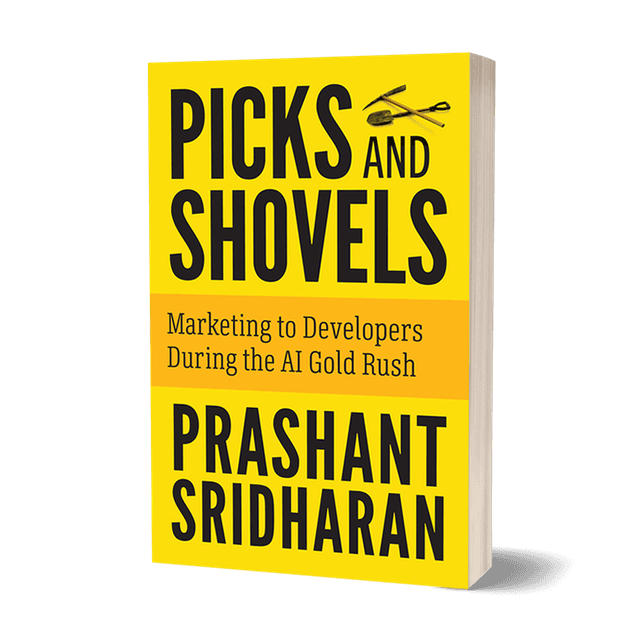
Want the complete playbook?
Picks and Shovels is the definitive guide to developer marketing. Amazon #1 bestseller with practical strategies from 30 years of marketing to developers.
Don't get left behind by AI
Sign up for the Strategic Nerds Newsletter and get expert advice on Developer Marketing and Developer Relations so you can navigate technical marketing in the AI era.